✅ Live Tool

📸 Instagram Caption Generator

Generate engaging, scroll-stopping captions for any Instagram post — 8 moods, 100+ caption variations, with matching hashtags and emojis.

📅 Last updated: Aug 2026 ⏱️ Read time: 4 min 🏷️ Category: Caption Tools 🔗 Open Tool
8Moods
100+Captions
FreePricing
0Signup Needed

🖥️ Tool Preview

toolshubapp.com/instagram-caption-generator/
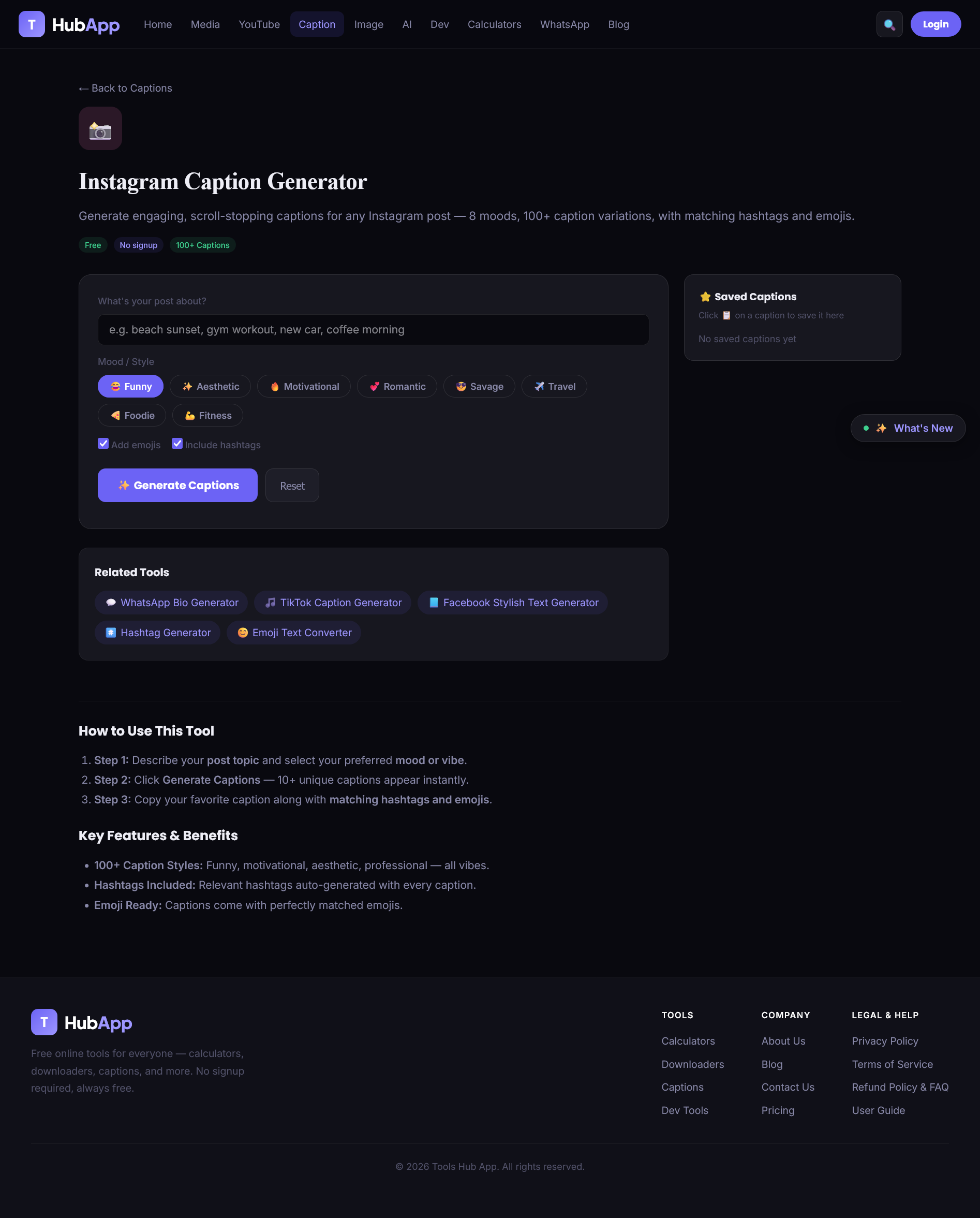
Instagram Caption Generator — full tool overview
🖼️
overview.png
Upload with this filename to display

📝 What It Does

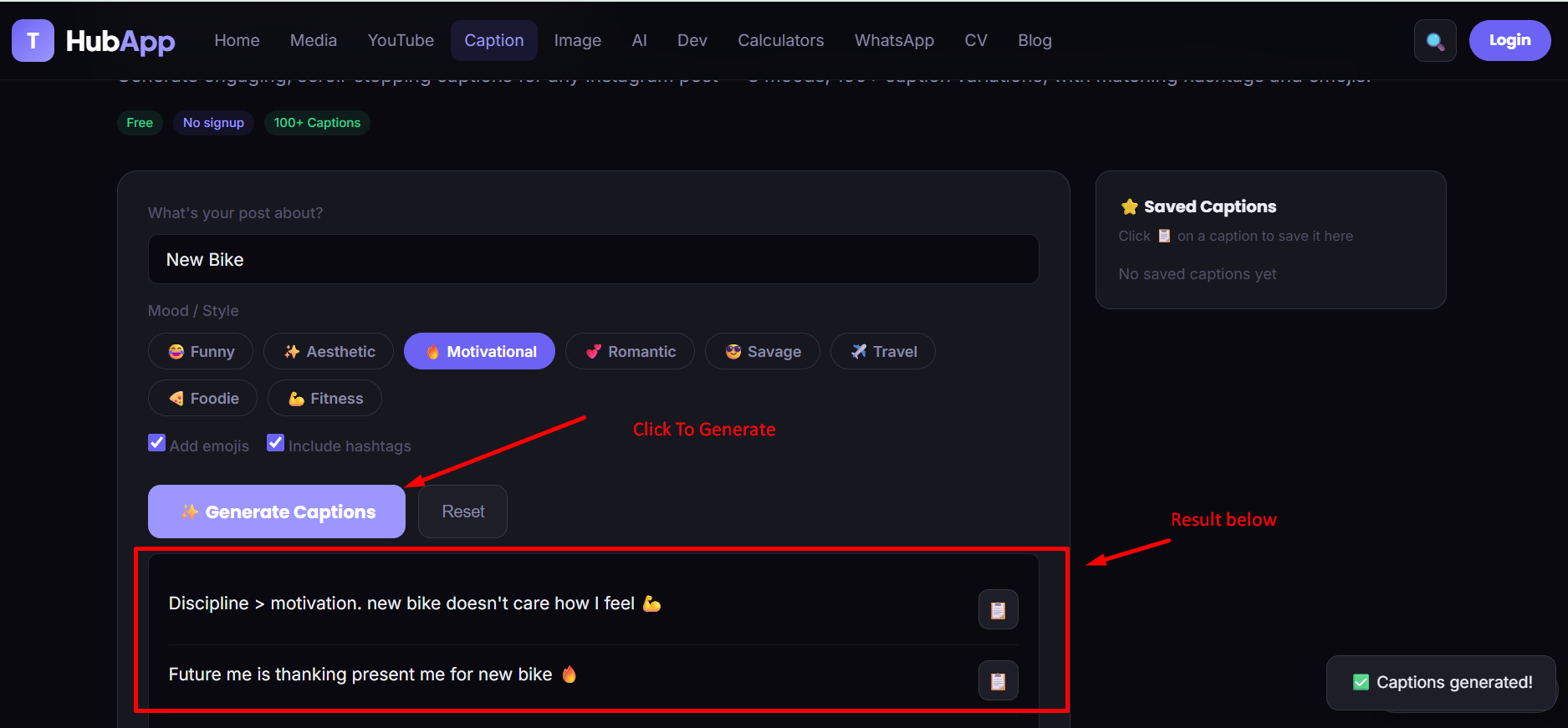
The Instagram Caption Generator writes ready-to-post captions for you. Describe your post in a few words, pick a mood, and instantly get several unique caption options — each already paired with matching emojis and relevant hashtags. Nothing to sign up for, no limit on how many times you generate.

🎯 Who It's For

  • Content creators & influencers posting daily who need captions fast.
  • Small businesses & brands running a regular posting schedule.
  • Anyone with "caption block" — a great photo, but nothing to write under it.

🧠 Why It's Different

Most caption generators give you one generic tone. This tool separates captions into 8 distinct moods so the writing style actually matches your post — a savage mirror selfie caption reads nothing like an aesthetic travel caption, and that's intentional. Every result also comes bundled with relevant hashtags and emojis, so you leave with a post-ready caption, not just a sentence.

🧩 Every Feature, Explained

What each control on the page actually does, and why it's there.

✏️
Post Topic Input

A free-text field where you describe your post in a few words. The generator uses this text to keep every caption anchored to your actual post instead of returning generic filler lines.
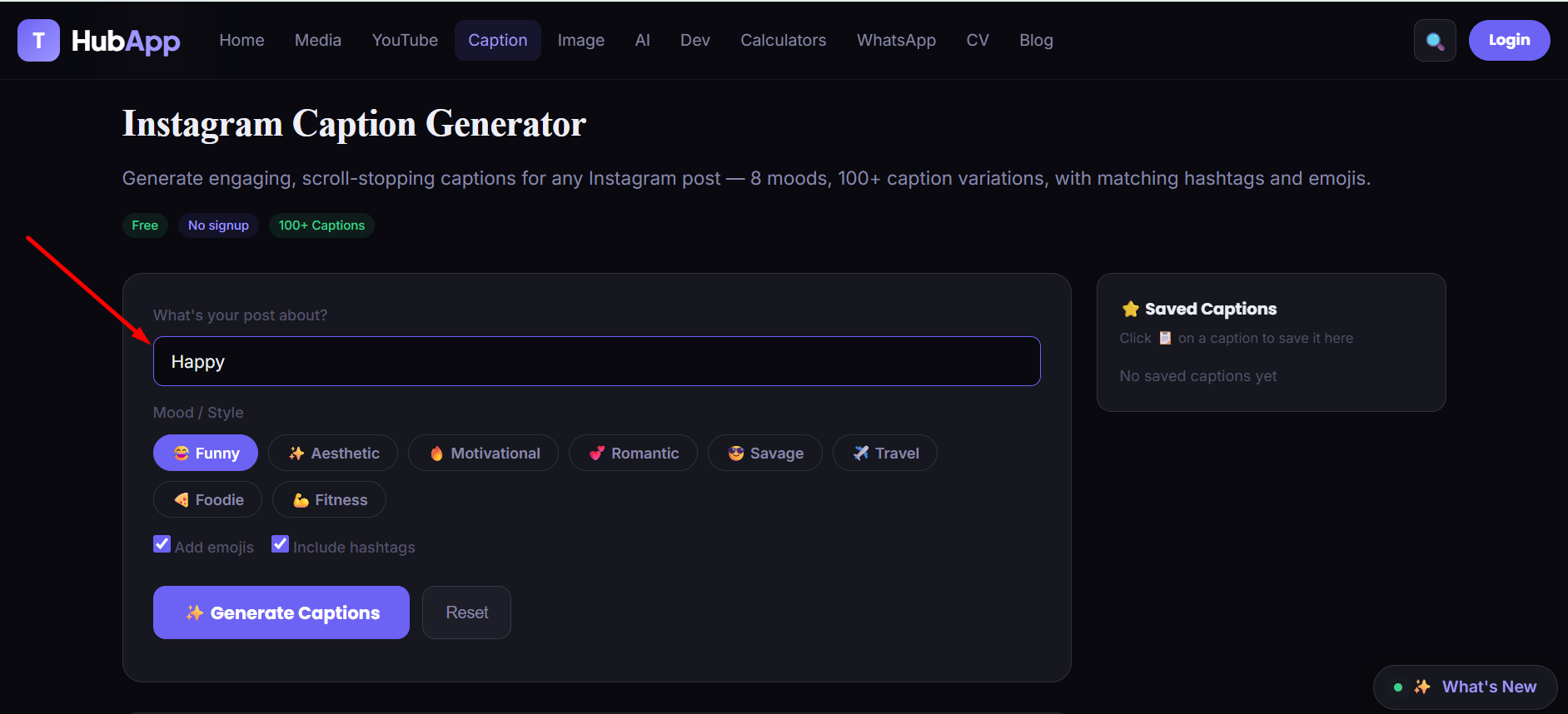
Post Topic Input
Post topic input field
🖼️
topic-input.png
Upload with this filename to display
🎭
8 Mood / Style Presets

Each preset writes in a distinctly different voice, so the same topic can produce very different results depending on which you pick:

  • 😂 Funny — relatable, humorous, everyday-moment captions.
  • ✨ Aesthetic — short, moody, minimal captions for visual-first posts.
  • 🔥 Motivational — uplifting lines for progress and growth posts.
  • 💕 Romantic — soft, sentimental captions for couple or heartfelt posts.
  • 😎 Savage — confident, witty, bold one-liners.
  • ✈️ Travel — captions built around the feeling of a place.
  • 🍜 Foodie — playful, sensory language for food posts.
  • 💪 Fitness — progress-focused gym and workout captions.
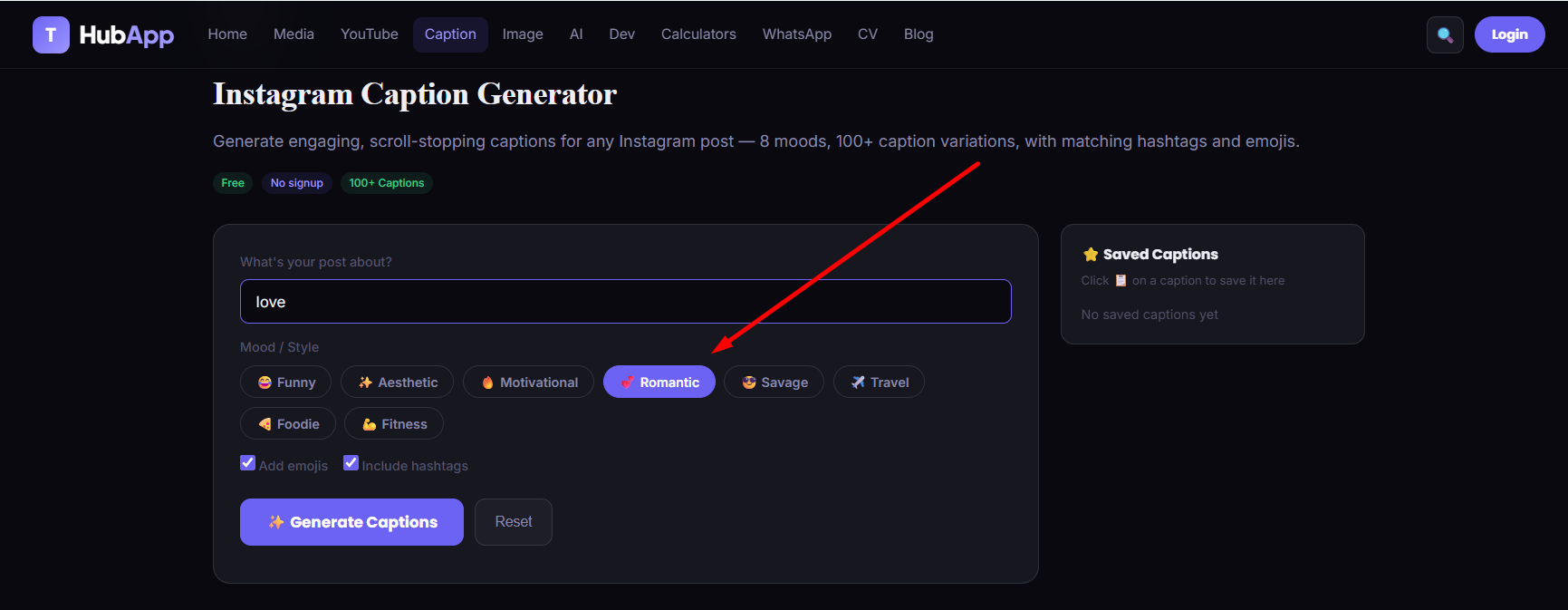
Mood / Style Selector
8 mood and style presets
🖼️
mood-styles.png
Upload with this filename to display
😀
Add Emojis Toggle

An on/off checkbox controlling whether generated captions include emojis. Switch it off for clean, plain-text results.

#️⃣
Include Hashtags Toggle

Controls whether a matching hashtag set is generated alongside your captions. When on, hashtags are pulled from your topic and mood — never random or generic tags.

📋
Generated Captions List

Every result appears as its own card with a dedicated copy icon, so you can grab exactly the one caption you want without touching the rest.
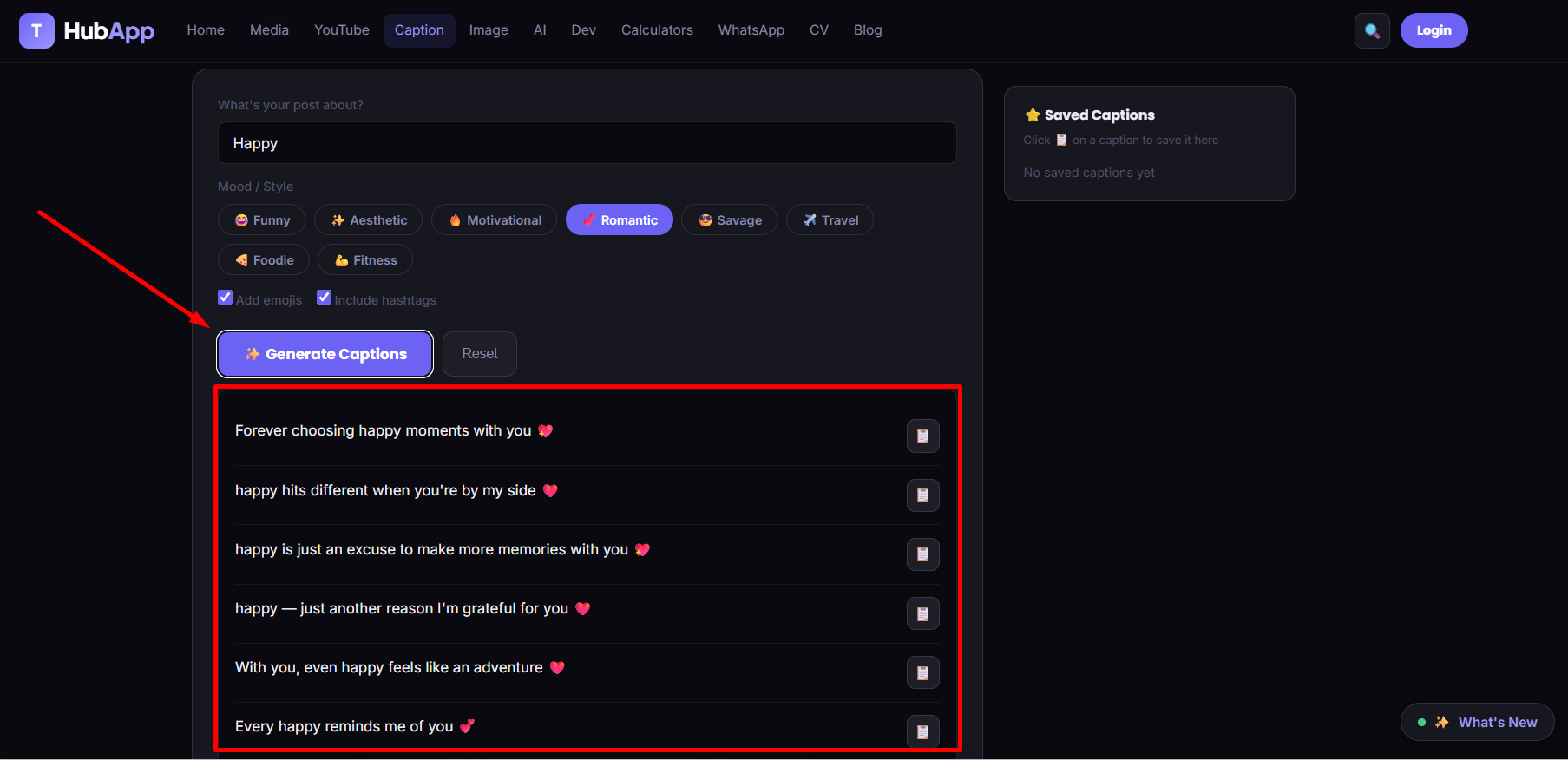
Generated Captions List
Generated caption results list
🖼️
caption-results.png
Upload with this filename to display
🏷️
Suggested Hashtags

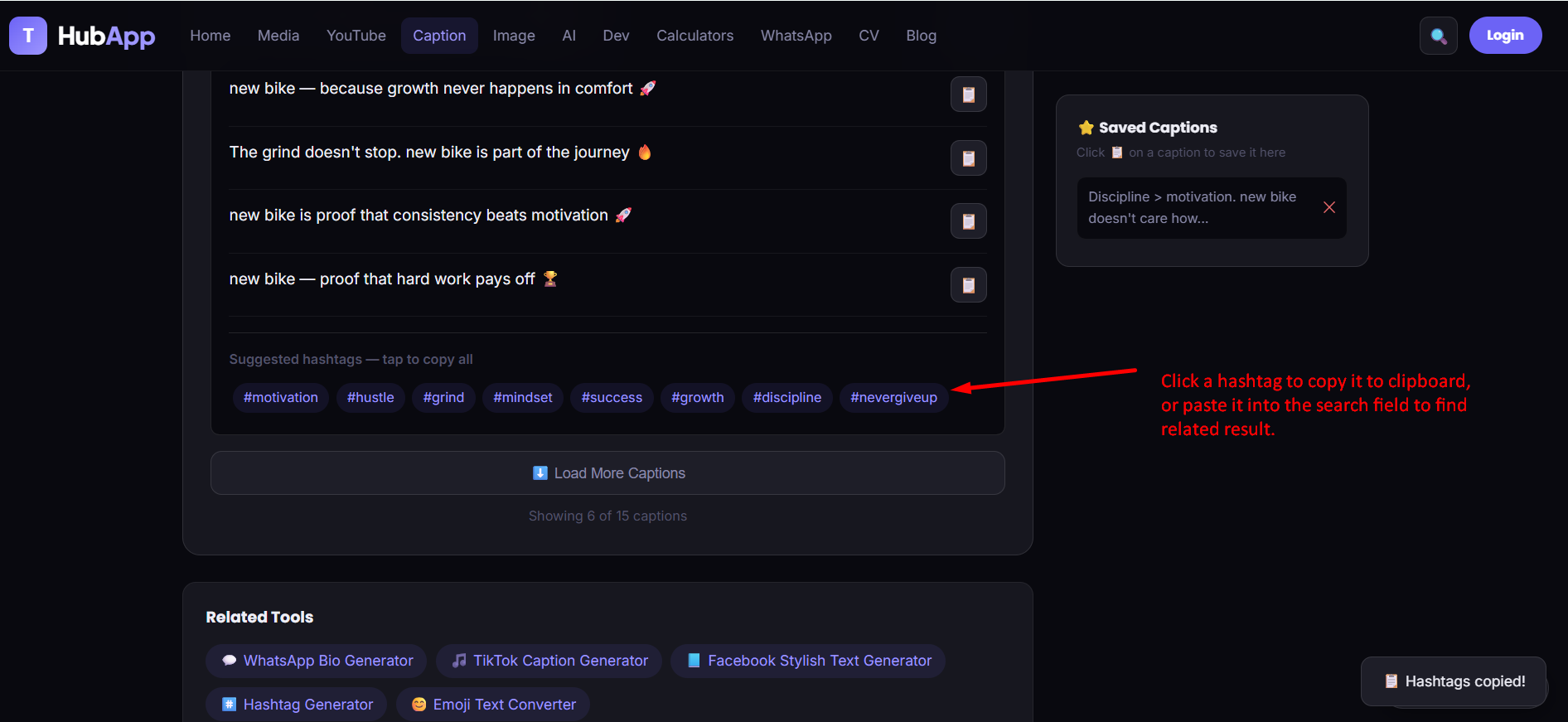
A row of hashtags generated from your topic, shown below the caption list. Tap the row once to copy every hashtag in it as a single block.
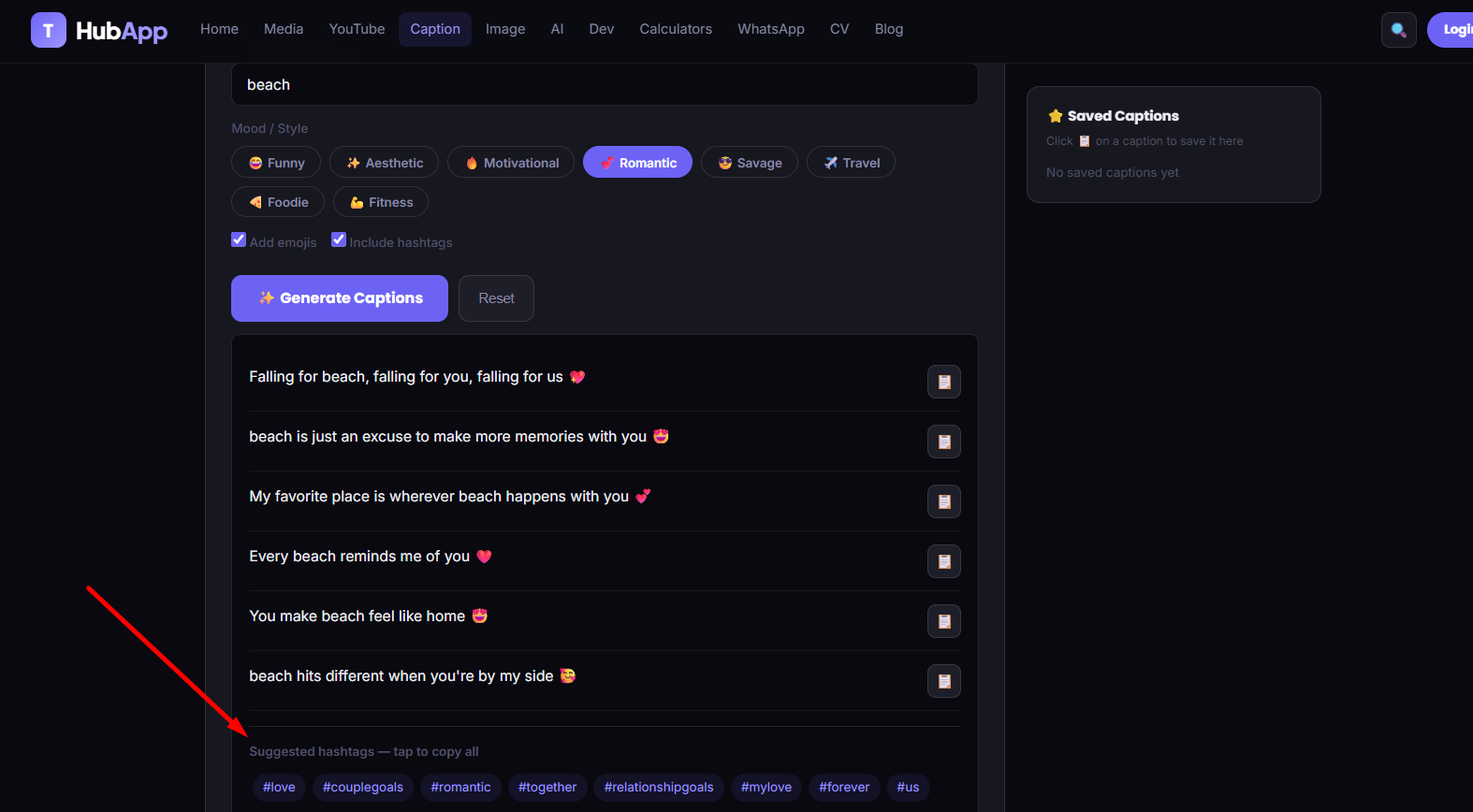
Suggested Hashtags
Suggested hashtags row
🖼️
hashtags-suggested.png
Upload with this filename to display
⬇️
Load More Captions

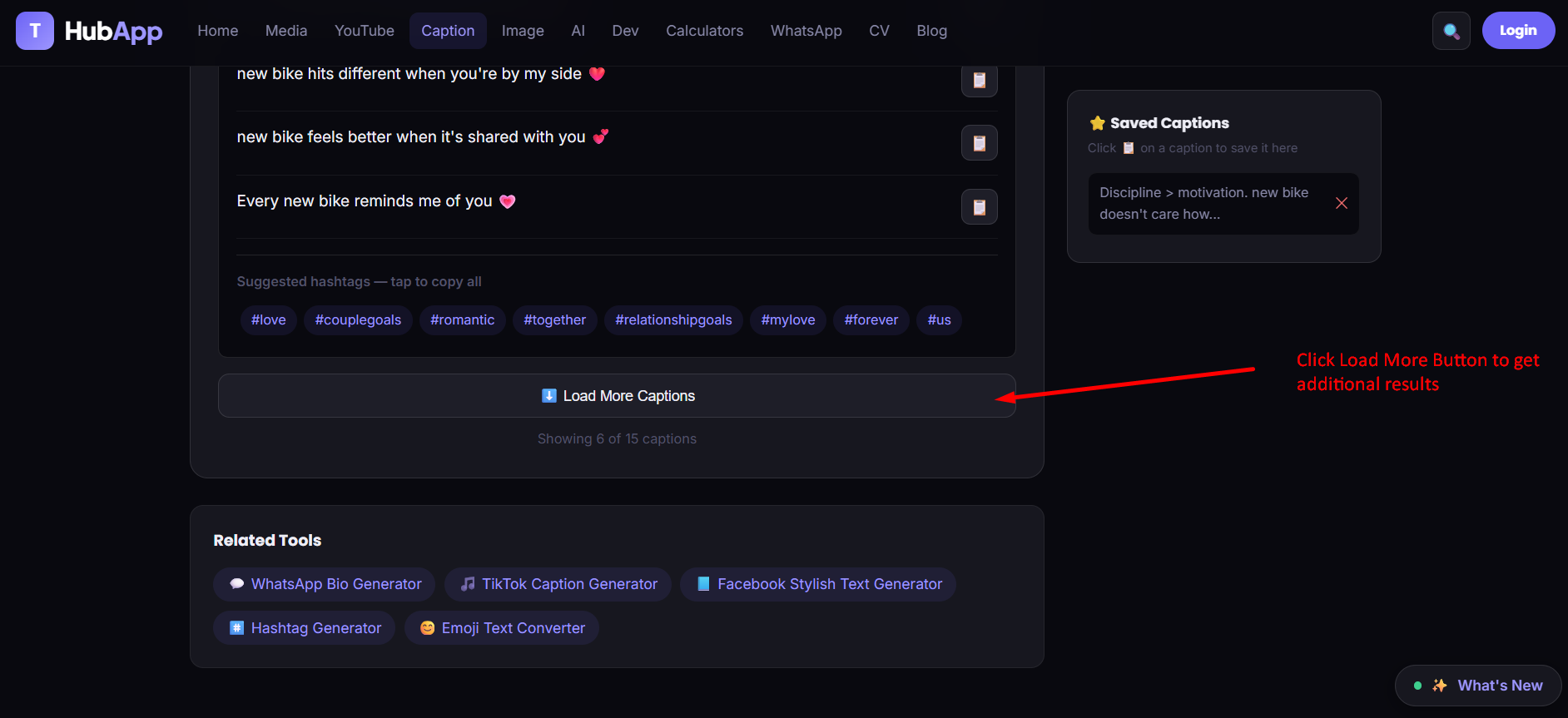
Results load in batches. This button reveals the remaining options for the same topic and mood without generating a fresh batch.

⭐
Saved Captions Panel

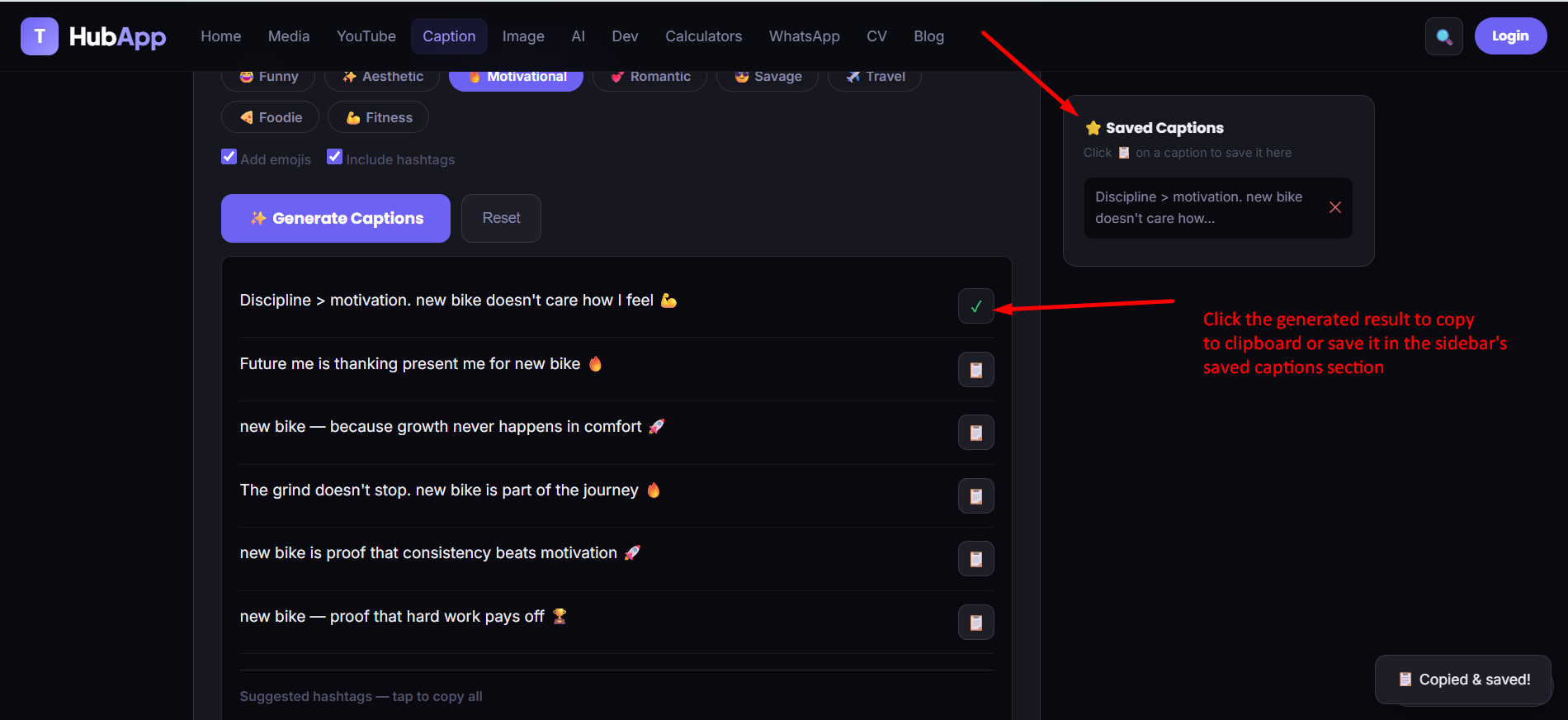
Bookmarking a caption adds it to this panel on the side, so your favorites stay one click away instead of getting lost after you regenerate or navigate away.
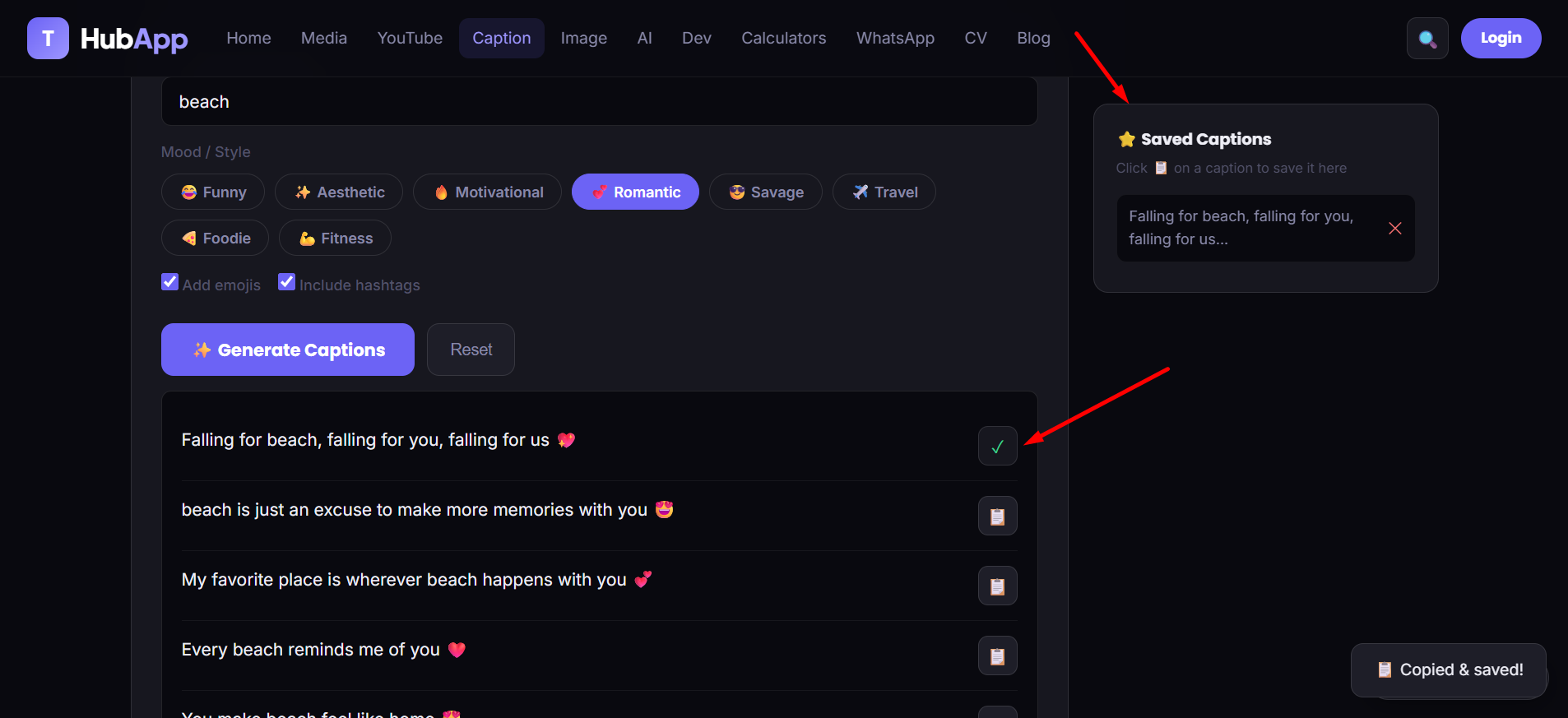
Saved Captions Panel
Saved captions panel
🖼️
saved-captions.png
Upload with this filename to display

📖 Step-by-Step Guide

1
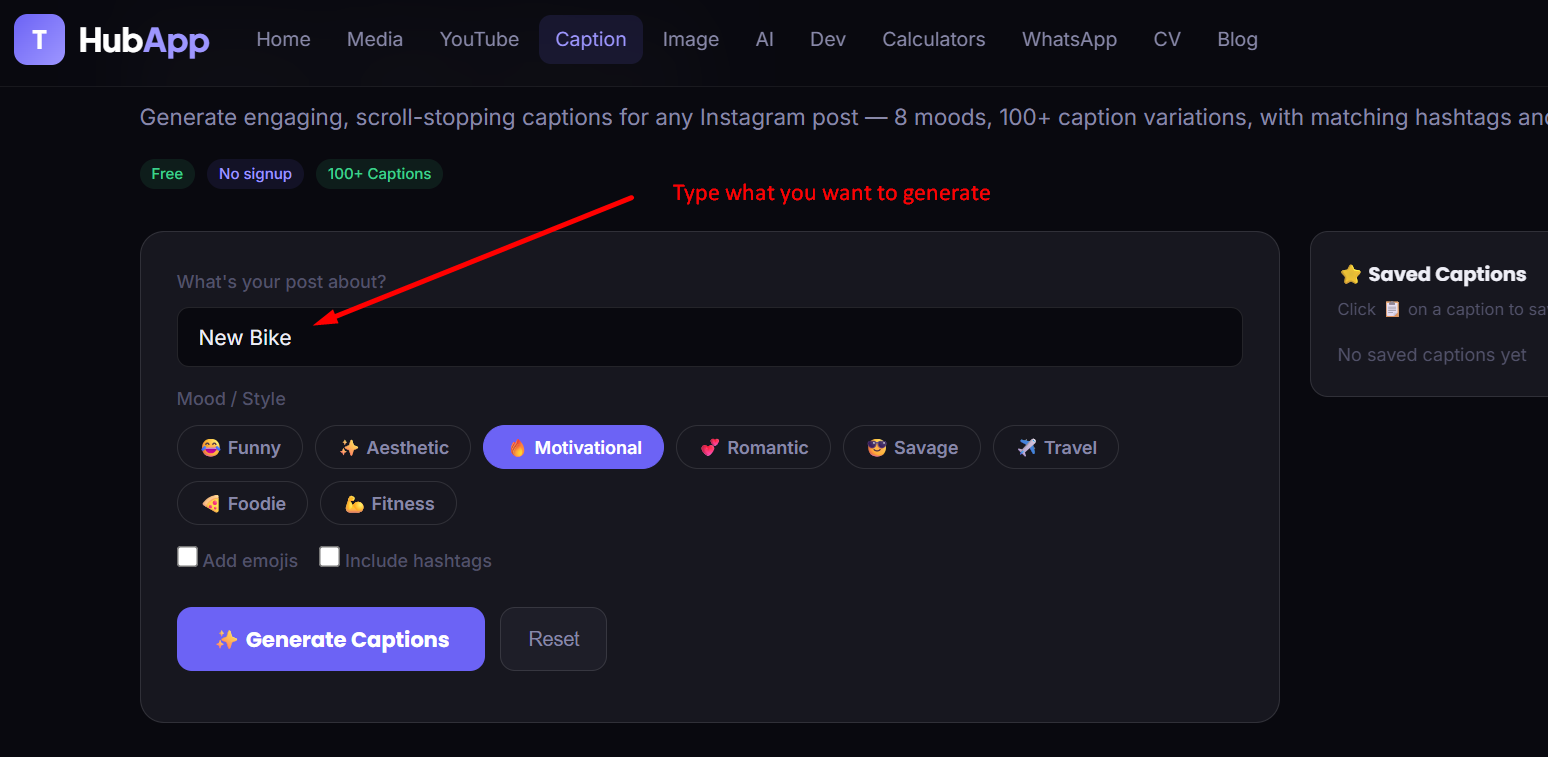
Describe your post
Open the tool and type what your post is about in the topic field — a few words is enough (e.g. "morning," "gym day," "sunset").
Step 1
Step 1 — describe your post
🖼️
how-to-step-1.png
Upload with this filename to display
2
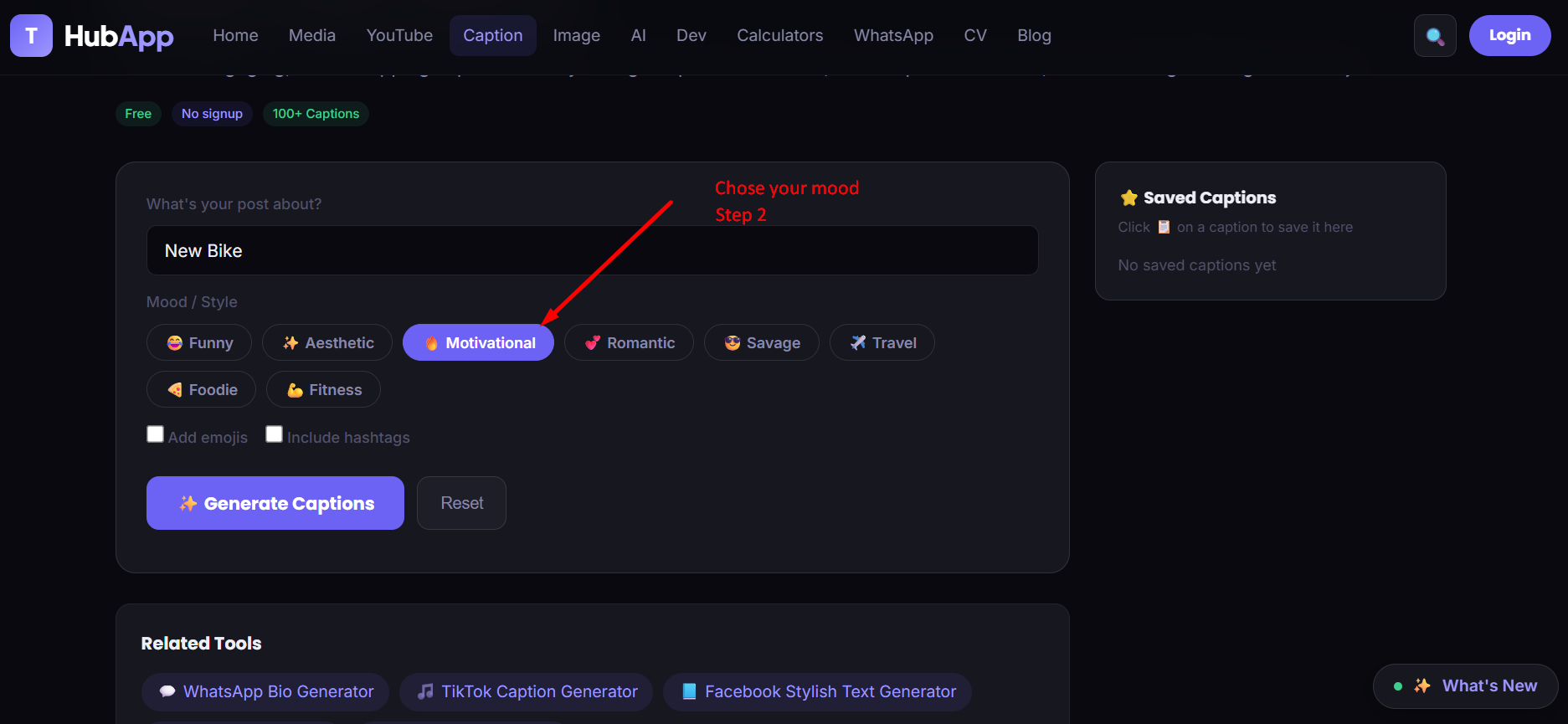
Pick a mood
Select one of 8 moods — Funny, Aesthetic, Motivational, Romantic, Savage, Travel, Foodie, or Fitness — based on the tone you want.
Step 2
Step 2 — pick a mood
🖼️
how-to-step-2.png
Upload with this filename to display
3
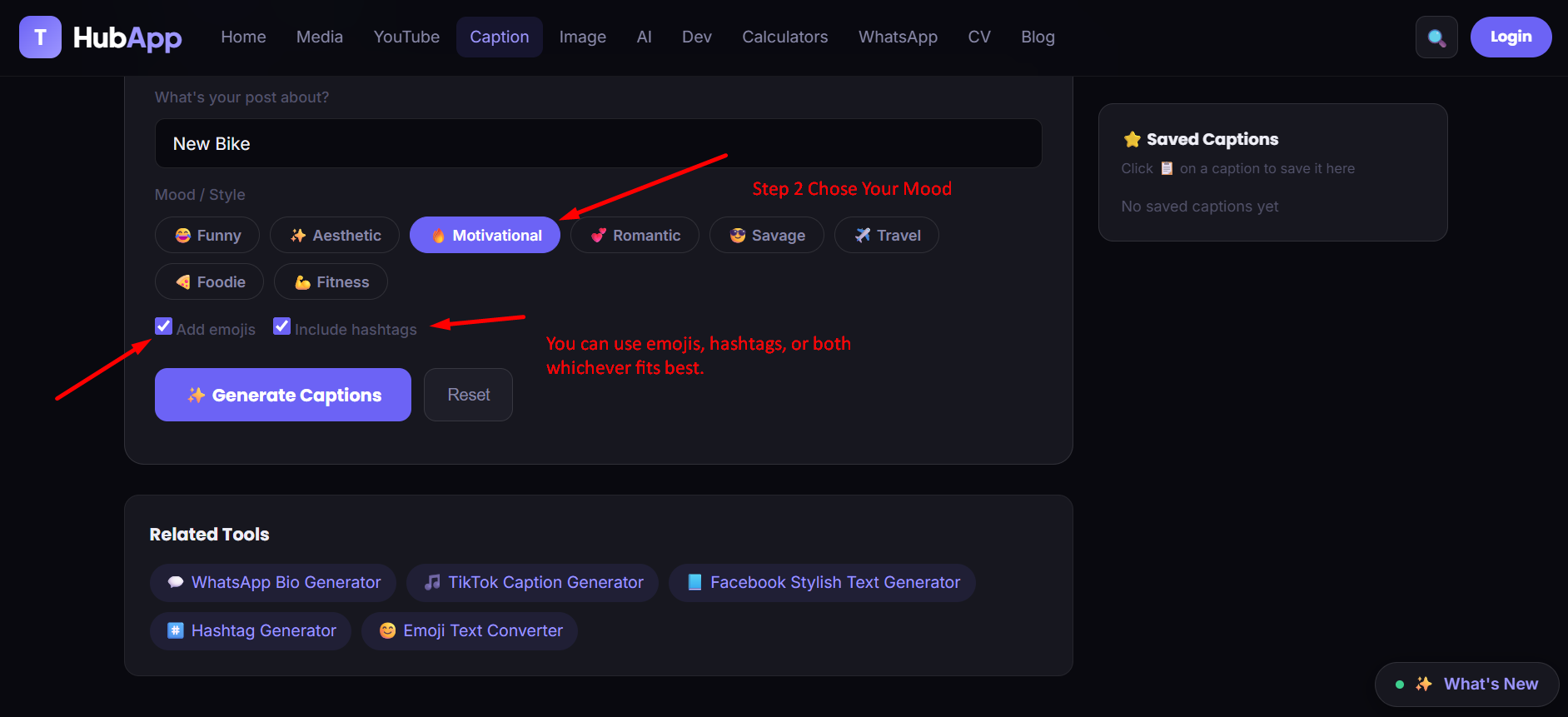
Toggle emojis & hashtags
Leave "Add emojis" and "Include hashtags" checked for the full result, or uncheck either one if you'd rather write those parts yourself.
Step 3
Step 3 — toggle emojis and hashtags
🖼️
how-to-step-3.png
Upload with this filename to display
4
Click Generate Captions
Multiple unique captions appear instantly, with a suggested hashtag row underneath.
Step 4
Step 4 — generate captions
🖼️
how-to-step-4.png
Upload with this filename to display
5
Copy your favorite caption
Click the copy icon next to any caption to instantly copy just that one, ready to paste into Instagram.
Step 5
Step 5 — copy your favorite caption
🖼️
how-to-step-5.png
Upload with this filename to display
6
Save captions for later (optional)
Click the bookmark icon on any caption to add it to the Saved Captions panel, so you can compare favorites before deciding.
Step 6
Step 6 — save captions for later
🖼️
how-to-step-6.png
Upload with this filename to display
7
Copy hashtags or load more
Tap the hashtag row to copy the full set, or click Load More Captions to see additional options for the same topic and mood.
Step 7
Step 7 — copy hashtags or load more
🖼️
how-to-step-7.png
Upload with this filename to display
💡 Tip: Try the same topic across two or three different moods — a single photo often works with more than one caption style.

❓ Frequently Asked Questions

How many captions can I generate per topic?
The generator shows an initial batch of captions and lets you Load More to see the rest of the available options for that topic and mood.
Are the hashtags relevant to my specific post?
Yes — hashtags are generated based on your topic and chosen mood, not random or generic tags.
Can I turn off emojis or hashtags?
Yes, both are optional toggles above the Generate button — turn either off for plain-text captions.
Can I save captions to use later?
Yes — click the bookmark icon on any caption to add it to the Saved Captions panel on the side of the tool.
Does this tool work for other platforms besides Instagram?
It's tuned for Instagram's tone and style specifically. For other platforms, check the related caption tools in the sidebar once they're published.
Is this tool free?
Yes, completely free with no signup required.

📸 Ready to write your caption?

Free, instant, no signup — 8 moods, 100+ caption variations, hashtags and emojis included.

Try Instagram Caption Generator →